Welcome to Interlink Electronics ePad Support
Search  
Main Menu  

Languages  
Preferred language:


Interlink Electronics - ePad Product Family Support

Universal Installer v7.70 is the latest driver installation software for all Interlink Electronics ePad products. This version is Vista ready!

 Download Universal Installer v7.70 rev. 9928
for these ePad models:
 ePad LS (New!)  ePad XL  ePad-i.d.
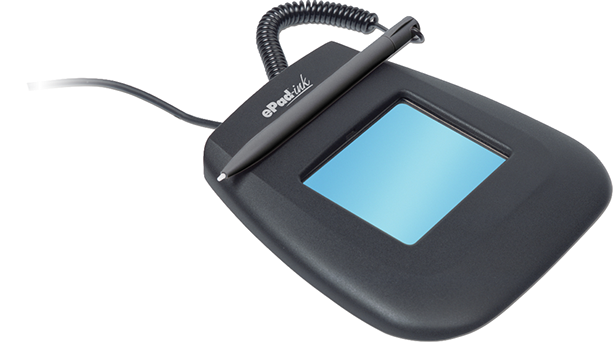
 ePad-ink Pro  ePad II  ePad-i.d. Pro
 ePad-ink USB*  ePad USB/Serial  ePad-POS USB/Serial

Universal Installer 7.70 works in Windows 2000, XP and Vista.

If you are using Windows 98/ME/NT, you can use the previous version of the Universal Installer, v6.24. Note that v6.24 will work only with ePad USB/Serial, ePad-ink, ePad-POS and ePad-i.d. You can download this version from the ePad Downloads area.
*If you are using ePad-ink Serial, please download the appropriate drivers from the ePad download area.

Developing Solutions with Interlink Electronics ePads

IntegriSign Desktop SDK suite are ActiveX/COM-based. A Java version is also available. If your development environment can use COM/ActiveX (.OCX), you can use the IntegriSign Desktop SDK to develop your custom application. IntegriSign Desktop SDK development environment support many environments, including:

 Development Environment  Database  Java
 Visual Basic 6 Oracle Java Beans
 Visual Basic .NET MySQL Websigning Java
 C++ 6 MS-SQL  
 C# FoxPro  
Delphi MS-Access  
Websigning ActiveX    

Sample code and documentation are available for most of these languages. To get the SDKs, simply order an ePad package and a single SDK license will be included with your order. Go to IntegriSign.com to order online. For more information on SDK packages, please email us.

How to manually install ePad-ink drivers

Posted by: admin on Tuesday, October 17, 2006 - 01:51 PM
partners-integrators 
How to manually install the minimum driver files required for an ePad-ink to run. A similar process can be used for other ePad models.

Note: For more information on how to use regsvr32.exe, visit: http://www.uninet.net/~blaisdel/Regsvr32Info.htm

Read full article: 'How to manually install ePad-ink drivers' (1208 bytes more) Printer-friendly page

How to render signatures from database using IntegriSign Desktop SDK

Posted by: admin on Monday, March 14, 2005 - 11:49 AM
ePad Support 
Question: Is there any documentation on how signature images can be rendered, by retrieving the raw data (x,y coordinates, time stamp, etc.) stored in a database, such as MS-SQL?


Read full article: 'How to render signatures from database using IntegriSign Desktop SDK' (2382 bytes more) Printer-friendly page

Saving Signature and Fingerprint data to a graphics file

Posted by: admin on Monday, March 14, 2005 - 11:45 AM
ePad Support 
This article is related to customer questions related to pen/signature data and how that can be manipulated to create an image file.


Read full article: 'Saving Signature and Fingerprint data to a graphics file' (1696 bytes more) Printer-friendly page

  
Other Stories  

Login  


 Log in Problems?
 New User? Sign Up!

Past Articles  


Web site powered by PostNuke ADODB database library PHP Language

All logos and trademarks in this site are property of their respective owner. The comments are property of their posters, all the rest (c) 2004 by Interlink Electronics
This web site was made with PostNuke, a web portal system written in PHP. PostNuke is Free Software released under the GNU/GPL license.
You can syndicate our news using the file backend.php